Page 8 of 15
8. Step 6: One menu and one Home page per language
This is the step most people get wrong. A multilingual site needs:
- A separate menu per language. In Menus → Manage → New we created Main Menu (en) and Κεντρικό μενού (el).
- A Home menu item in each language menu, with Default Page set to Yes and Language set to that language.
- The original Home item set to language All, which stays where it is. Joomla needs it as a fallback.
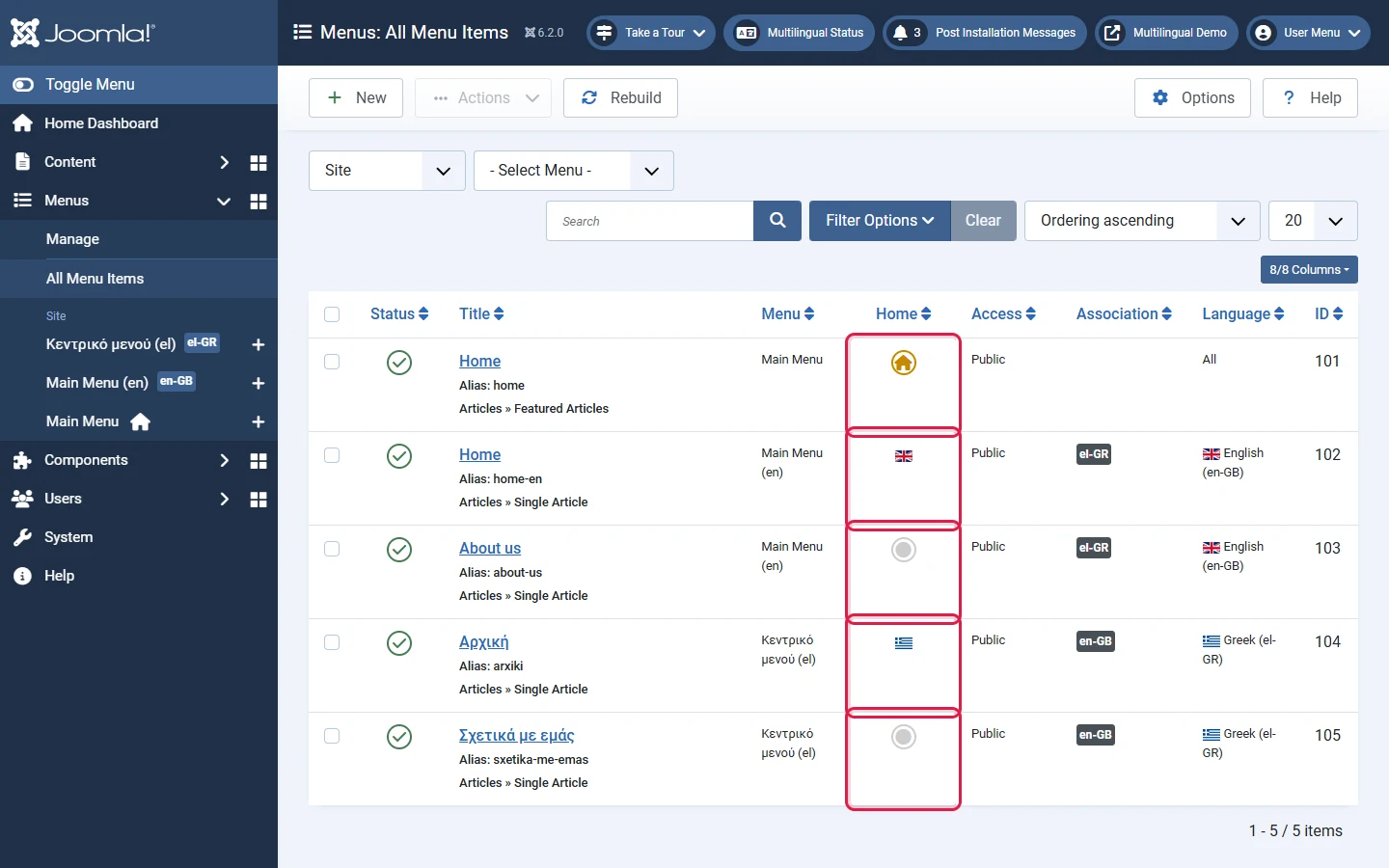
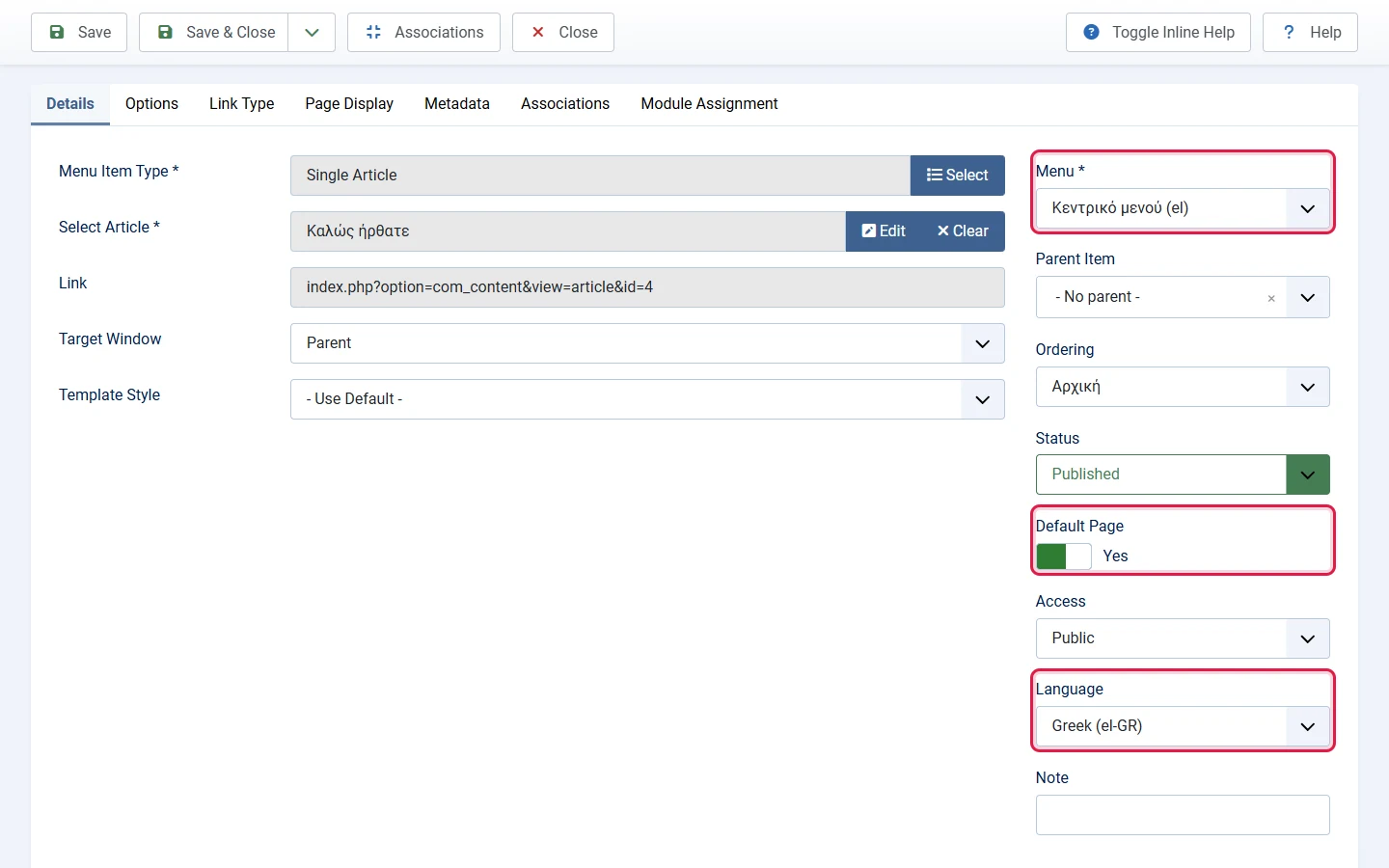
Do not delete or unpublish the Home item set to All, and do not change its language. Without it the site falls back to errors. Instead, keep it in its own menu and simply do not display that menu's module (see step 8).