5. Modules instead of widgets
A module is Joomla's widget, and a template position is its widget area. Menus, the login box, "Latest Articles" lists and blocks of custom HTML are all modules.
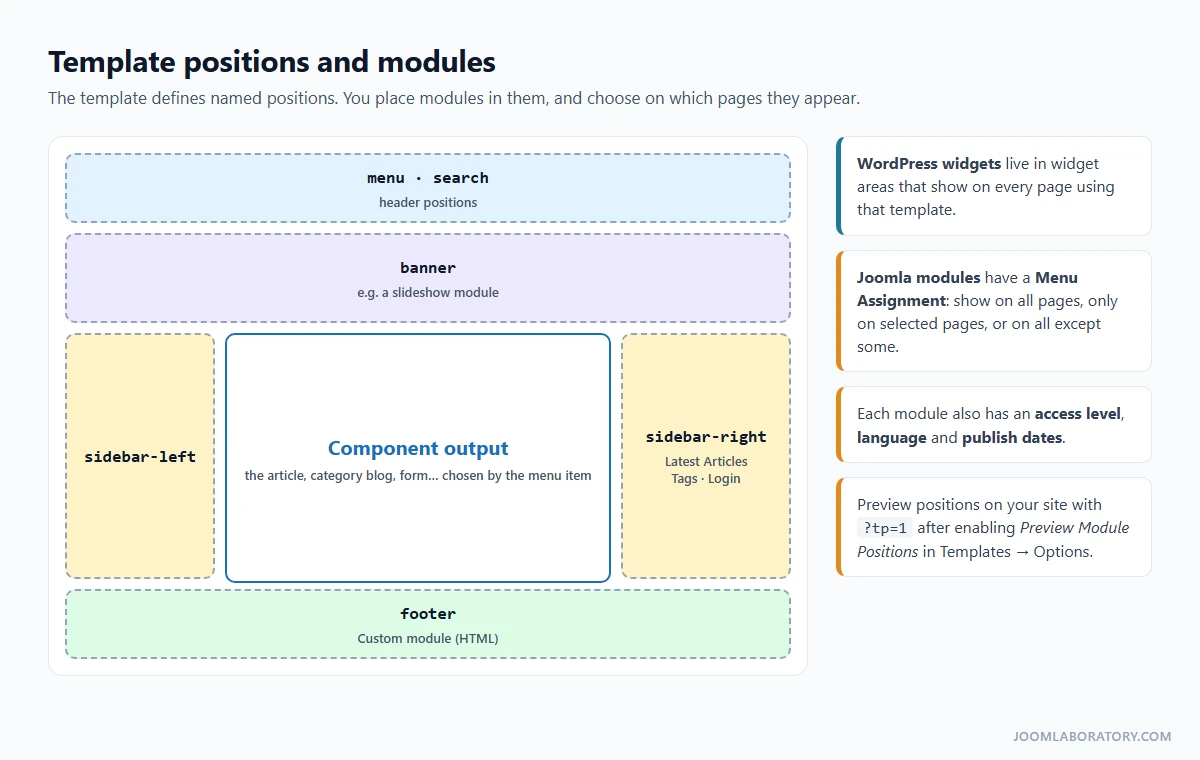
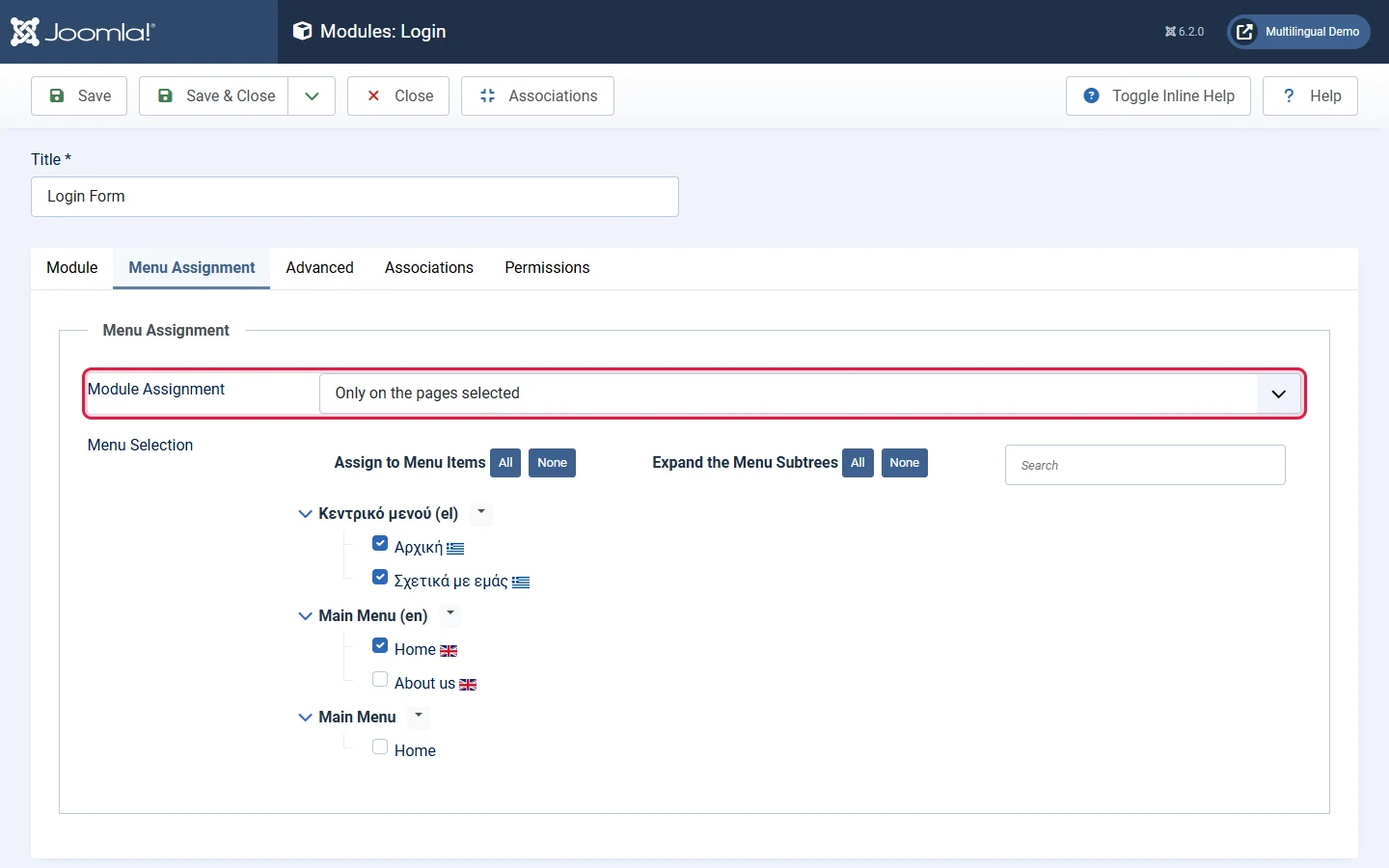
The big difference is Menu Assignment: every module decides on which pages it appears.
Each module also has its own access level (for example, only for registered users), language and publishing dates, and many offer alternative layouts. You manage them in Content → Site Modules.
To see the positions your template offers, go to System → Site Templates, click Options, enable Preview Module Positions, then add ?tp=1 to any URL of your site. For a deeper dive, read What are modules? How to work with them?
6. Extensions instead of plugins
In WordPress, "plugin" means any add-on. In Joomla, add-ons are split by the job they do, and "plugin" is only one of the types.
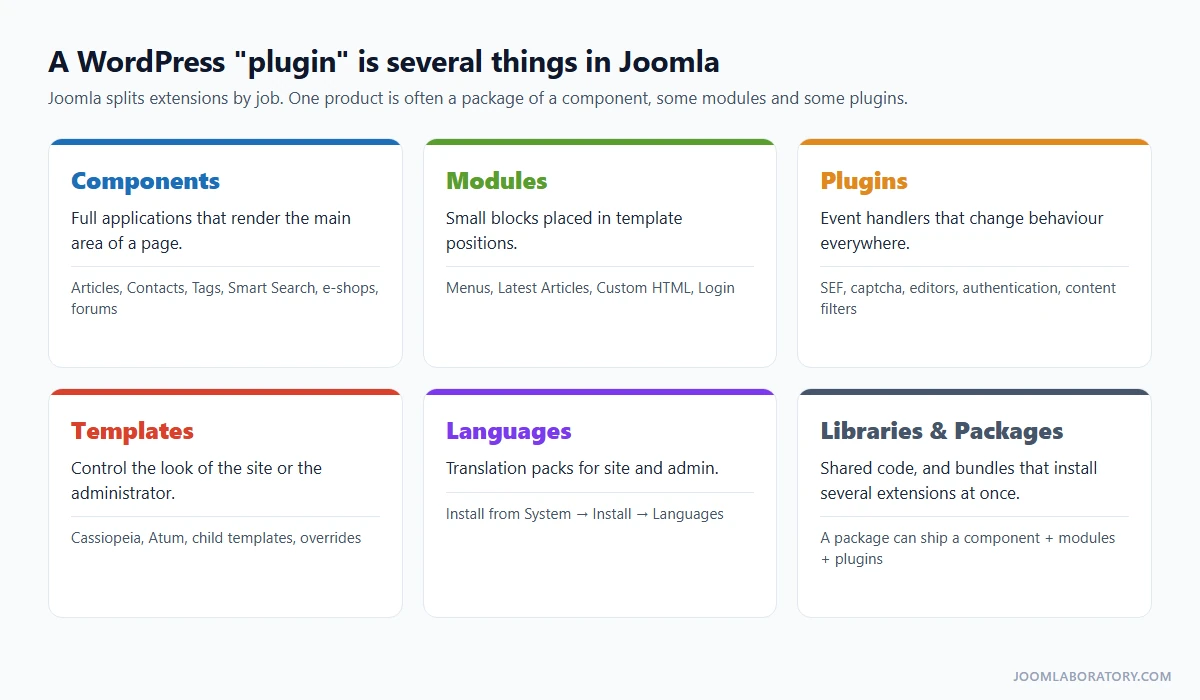
- Components render the main area of a page and usually have their own admin screens (articles, contacts, a shop, a forum).
- Modules are the blocks around the main area.
- Plugins react to events and change behaviour site-wide: editors, captcha, authentication, SEF URLs.
- Templates control the look, languages translate the interface, libraries hold shared code, and packages install several extensions at once.
- Find: the Joomla Extensions Directory (JED) is the equivalent of the WordPress.org plugin directory. Check compatibility with your Joomla version, the last update date and the reviews.
- Install: System → Install → Extensions, by uploading a ZIP, from a URL, or with Install from Web.
- Update: System → Update → Extensions. Extensions register an update site, so their updates appear here.
- Manage: System → Manage → Extensions, or System → Manage → Plugins for plugins only.
Before you look for an extension, check page 4 of this guide. Many WordPress plugins exist only to add something Joomla already has in core.
7. Templates instead of themes
Joomla 6 ships with Cassiopeia for the site and Atum for the administrator, both built on Bootstrap 5. Four features replace most theme-editing habits:
- Template styles: one template, several configurations (colours, fonts, layout). Assign a style to specific menu items to give a section its own look (System → Site Template Styles).
- Child templates: like child themes, they inherit everything and store only your changes. Use the Create Child Template button in the template's Details and Files screen.
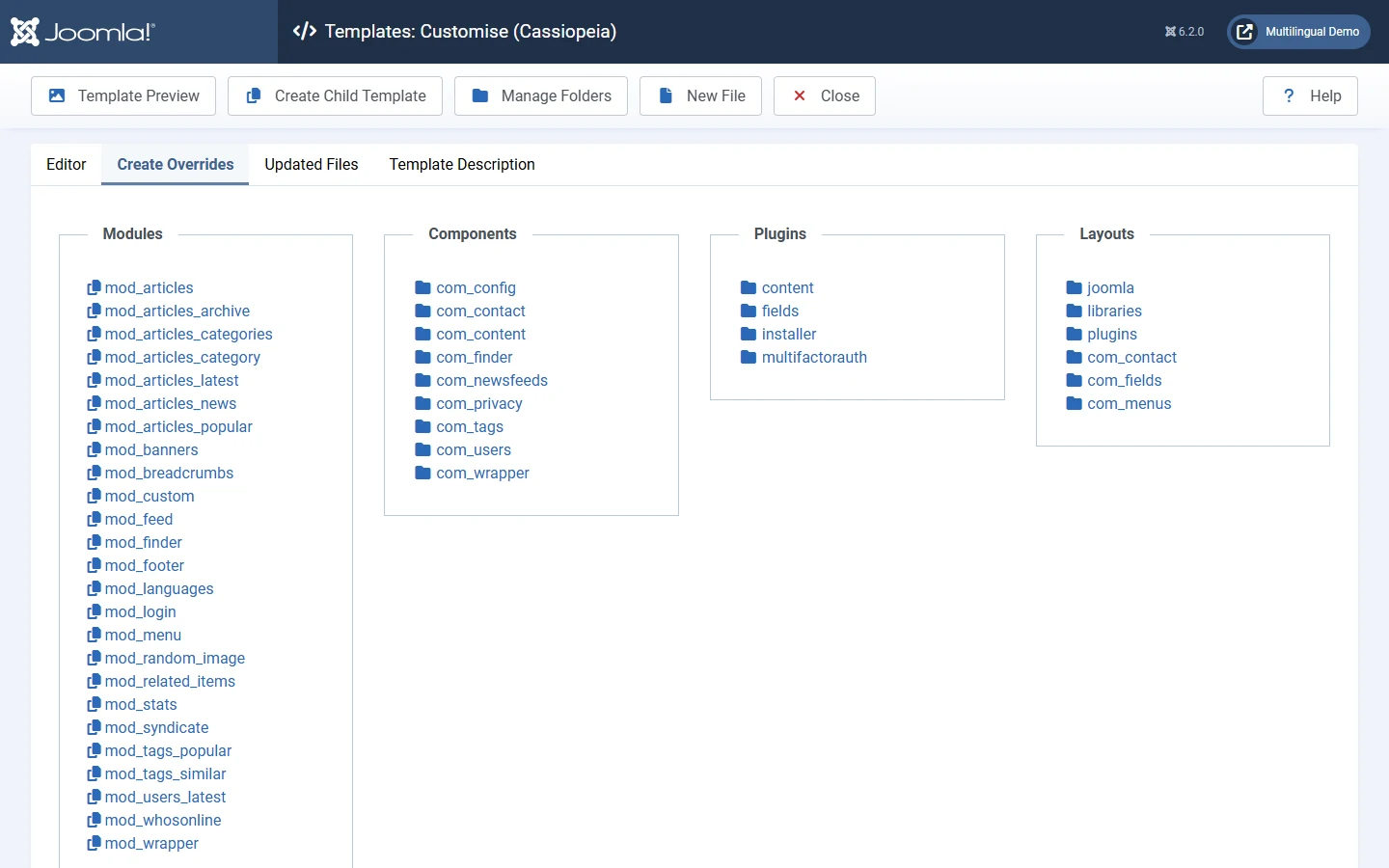
- Overrides: in the Create Overrides tab, click any module, component view or layout. Joomla copies its output file into your template. Edit the copy: updates never overwrite it, and Joomla tells you when the original has changed so you can review the difference.
- Quick tweaks: create
media/templates/site/cassiopeia/css/user.css(or the child template equivalent) and Cassiopeia loads it automatically.