3. Articles, categories and tags
Categories carry rules, not only labels
WordPress categories are hierarchical too, and a post can sit in several of them. In Joomla, an article belongs to exactly one category, and the category does real work:
- It has its own description, image, access level, language and permissions.
- Permissions set on a category apply to every article in it. That is how one team edits only "News" and another only "Events".
- A Category Blog or Category List menu item turns it into a listing page, with options for columns, ordering, pagination and which details to show.
For cross-cutting topics, use tags (Components → Tags). A Tagged Items menu item lists everything with a tag, whatever its category.
The home page
WordPress sets the front page in Settings → Reading. In Joomla, the home page is simply the menu item marked as Default Page (the house icon in the menu items list). A Featured Articles menu item gives you the classic "latest posts" front page: mark articles as Featured and they appear there. Any other menu item type, such as a Single Article, gives you a static home page.
Read More instead of the more tag
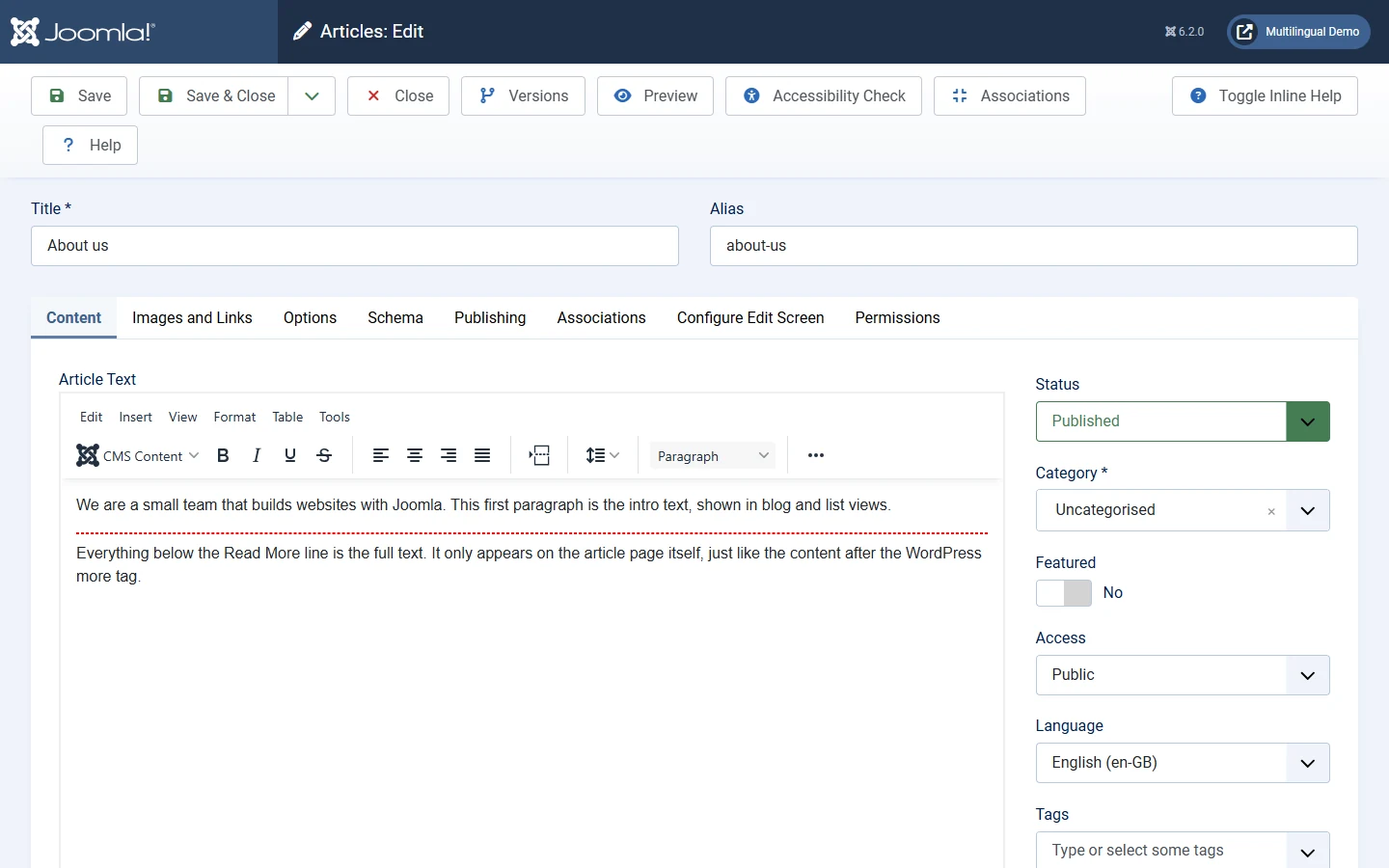
The Read More button in the editor inserts a dashed line. Everything above it is the intro text, shown in blog and list views. Everything below it appears only on the article page, exactly like the content after the WordPress <!--more--> tag.
Built in, no plugin needed
- Versions: every save is kept in content history, so you can compare and restore.
- Scheduling: Start Publishing and Finish Publishing dates on articles and modules, so content can also expire on its own.
- Per-article SEO: meta description, robots settings and a Schema.org tab on every article.
4. Hands-on: build an About page in five minutes
Doing it once makes the menu-item model click. On any Joomla 6 site:
- Write the content. Content → Articles → New. Title: About us. Pick a category, write a few lines, and click Save & Close. The article exists but has no page of its own yet.
- Create the page. Menus → Main Menu → New. Title: About us. Click Select next to Menu Item Type, choose Articles → Single Article, then select your article. Save.
- Visit it. Open
/about-uson your site. The URL comes from the menu item's alias, and the link appears in your main menu. - Control the sidebar. Content → Site Modules, open a module, go to Menu Assignment, choose Only on the pages selected and tick About us. That module now appears on this page only.
In WordPress, steps 2 and 4 would usually need a page plus a widget-visibility plugin. In Joomla they are two core settings.